





UOB Card Bill Payment Modes
Pay your card bill quickly and securely using your preferred channel.
Here’s how you can make payment for your UOB Card
|
Payment Channel |
How to pay your UOB Card Bill | Payment Crediting |
|---|---|---|
|
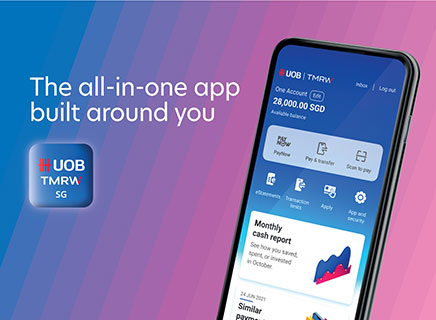
UOB TMRW app
Click here to Download TMRW |
Method 1:
Method 2:
|
Instant Crediting |
|
UOB Personal Internet Banking
Click here to access UOB Personal Internet Banking |
|
Instant Crediting |
| UOB ATM |
Payment may be made with your UOB Savings/Current account(s); or a DBS/POSB/OCBC ATM/Debit Card at any UOB ATM islandwide.
For more information visit here. |
Within 1 day |
|
Interbank GIRO
Download form here to apply for Interbank GIRO. |
Please ensure sufficient funds in your designated bank account for GIRO deductions. The balance verification will be performed 3 working days before the payment due date, and the payment will be automatically debited 1 working day before the due date from the bank account specified in your InterBank GIRO (IBG) form. To avoid any returned GIRO fees, please maintain adequate funds in your account. No payment reminder alerts will be sent for GIRO arrangements. |
1 working day before the due date. Please ensure sufficient funds from the specified bank account 3 working days before the payment due date. |
| S.A.M Machines / AXS |
Payment may be made via NETS at Singapore Post Self-Service Automated Machine (S.A.M) or AXS. For AXS, please note that payments on weekdays (after 5pm) or Saturday after 12 noon or Sunday/Public Holidays will be processed the next working day. |
Within 1 to 3 working days |
| Cash | Cash payment is accepted at any of our local branches or UOB Cash Deposit Machines. Please be informed that with effect from 1 Feb 17, all UOB branches will process credit card bill payments above S$2,000 only. |
Within 1 day |
| FAST Funds Transfer |
Payment can be made from any participating bank’s online banking platform Eligible Banks: Citi Bank Bill Payment Organizations For Bill Payment Organisations, please select “UNITED OVERSEAS BANK LTD” Please note that "UOB Kay Hian Pte Ltd" is not a valid bill payment organisation for paying your UOB Credit Cards. |
Within 3 working days |

Things you should know
Note:

If you have a total outstanding Card Account balance of S$10 and below, statement will not be generated for the month. Late charge and interest charge will not be levied.
We're here to help

Have a question?

Contact us

Locate us

Take charge with UOB TMRW, download now




We use cookies to improve and customise your browsing experience. You are deemed to have consented to our cookies policy if you continue browsing our site.