

The Travel Insider
Southeast Asia's first one-stop travel portal designed for UOB Cardmembers. Inspire, plan, and book your next adventure with UOB Cards.
Find out moreFeatured

Apply for UOB One Account online and get up to S$300 cash
Skip to higher interest of up to 3.4% p.a. interest in just two steps. T&Cs apply. Insured up to S$100k by SDIC.
Find out moreCard Privileges

Cross over to your favorite deals in JB with UOB Cards
Tap your way to 0% FX fees, cashback on MYR spend and instant savings with UNI$ redemption.
Find out moreFeatured
Borrow services

Balance Transfer
Get instant cash at 0% interest and low processing fees. Choose from 3, 6 and 12-months tenor.
Find out moreFeatured Solutions

Get early access to the JPMorgan Singapore & Asia Equity Income Fund
Tap into Singapore’s strengthening equities market while capturing Asia’s income & growth potential.
Learn more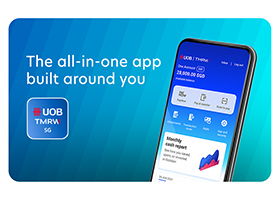
UOB TMRW
Meet UOB TMRW, the all-in-one banking app built around you and your needs.
Bank. Invest. Be rewarded. Take charge with UOB TMRW.

-
you are in Personal Banking

For Individuals
Wealth BankingPrivilege BankingPrivilege ReservePrivate BankingFor Companies
GROUP WHOLESALE BANKINGForeign direct investmentUOB Asean insightsIndustry insightsSUSTAINABLE SOLUTIONSAbout UOB
UOB GroupBranches & ATMsSustainabilityTech Start-Up EcosystemUOB WorldUOB Subsidiaries
UOB asset managementUnited overseas InsuranceUOB travel plannersUOB Venture managementUOB Global capital

UOB Bill & Tax Super Saver Promotion
From now till 31 March 2027, get cash rebates when you choose to pay your bills and personal income tax via GIRO with UOB.
No pre-registration required. T&Cs apply.
Pay your bills and income tax in 3 simple steps with UOB

Step 1:
Apply for the GIRO monthly payment plan and select UOB Uniplus Account, UOB One Account, KrisFlyer UOB Account or UOB Lady’s Savings Account. Use eGIRO to skip paper form filling.
Don’t have one of the above accounts? Apply now.

Step 2:
Register your mobile number for PayNow via UOB TMRW app or UOB Personal Internet Banking.

Step 3:
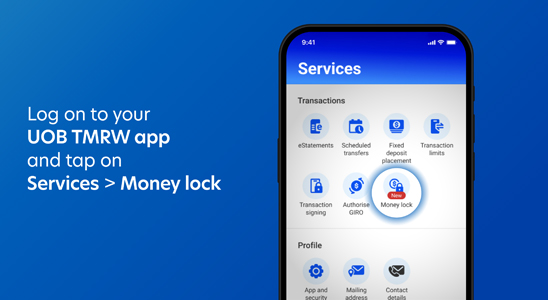
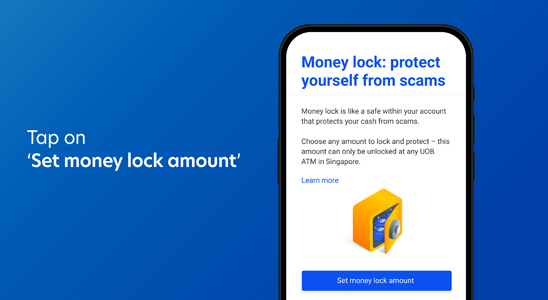
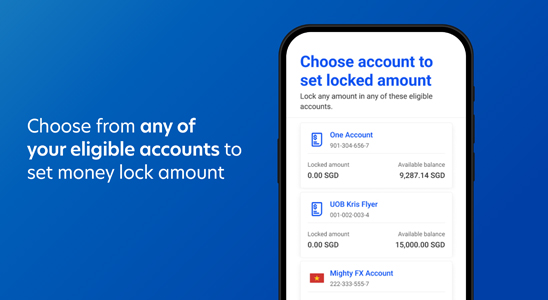
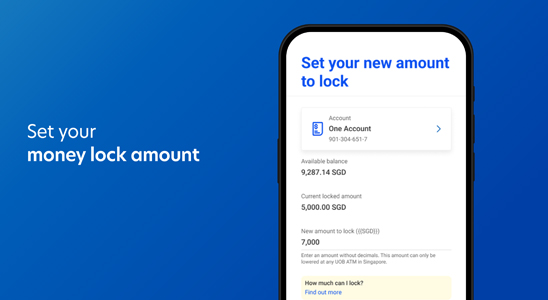
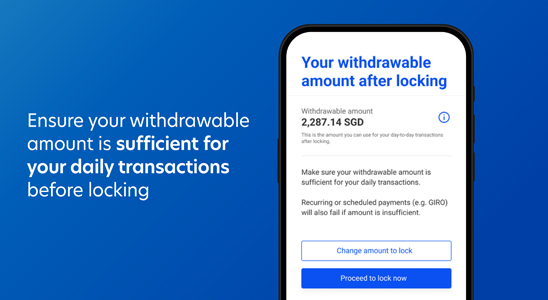
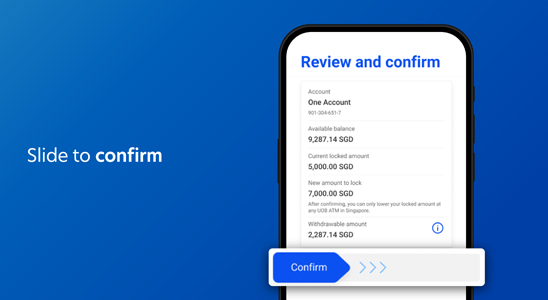
Activate Money Lock on UOB TMRW app or UOB Personal Internet Banking
Please do not lock all funds and leave sufficient withdrawable balance for GIRO transactions to be deducted.
No actions are required if you have performed all the activities listed above prior to 1 April 2026.
Ride into your every day with cash rebates of up to S$600
You work hard for your money. Now, let your money work a little harder for you. Pay your bills and personal income tax via GIRO with UOB and earn cash rebates along the way. From premium payments to your phone bills, let your rewards stack up! Start setting up your GIRO plan with the Eligible Billers below.
Not sure how to set up new or update your GIRO plan? Find out here

Tax
- IRAS
- LTA

Insurance
- Prudential

Utilities
- Keppel Electric
- SP Services
- Geneco
- Pacific Light Energy

Telco
- Starhub
- Singtel
- M1


Ride into your every day with cash rebates of up to S$600
You work hard for your money. Now, let your money work a little harder for you. Pay your bills and personal income tax via GIRO with UOB and earn cash rebates along the way. From premium payments to your phone bills, let your rewards stack up! Start setting up your GIRO plan with the Eligible Billers below.
Not sure how to set up new or update your GIRO plan? Find out here
Tax
- IRAS
- LTA
Insurance
- Prudential
Utilities
- Keppel Electric
- SP Services
- Geneco
- Pacific Light Energy
Telco
- Starhub
- Singtel
- M1
Earn up to S$600 cash rebates
| Monthly Average Balance | Payment Rebate | Monthly Cash Rebate Cap | Total Annual Cash Rebate Cap |
| ≥ S$30,000 | 6.0% | S$10 | S$120 |
| ≥ S$75,000 | S$25 | S$300 | |
| ≥ S$150,000 | S$50 | S$600 |
To qualify, you will have to register for PayNow and activate Money Lock. Promotion ends 31 March 2027.
This Promotion is only open to Personal Banking, Wealth Banking and Privilege Banking accountholder(s) of UOB Uniplus Account, UOB One Account, KrisFlyer UOB Account or UOB Lady’s Savings Account.
Don’t have one of the above accounts? Apply now.
Subject to qualifying criteria. T&Cs apply.
Tax Payment Rebate Calculator
Eligibility Conditions


Eligible UOB Account includes UOB Uniplus Account,
UOB One Account, KrisFlyer UOB Account or
UOB Lady’s Savings Account ONLY.

What you’ll earn
(This is your total rebate-eligible bill and tax payments for 1 month)
 Why do I not qualify for a tax rebate?
- Your mobile number is not registered for PayNow with UOB
- You have not activated Money Lock on a UOB Account
- Your monthly income tax payments are not paid through GIRO with UOB Account
- Your UOB Account MAB is below S$30,000
How to register your mobile number for PayNow
Step 1
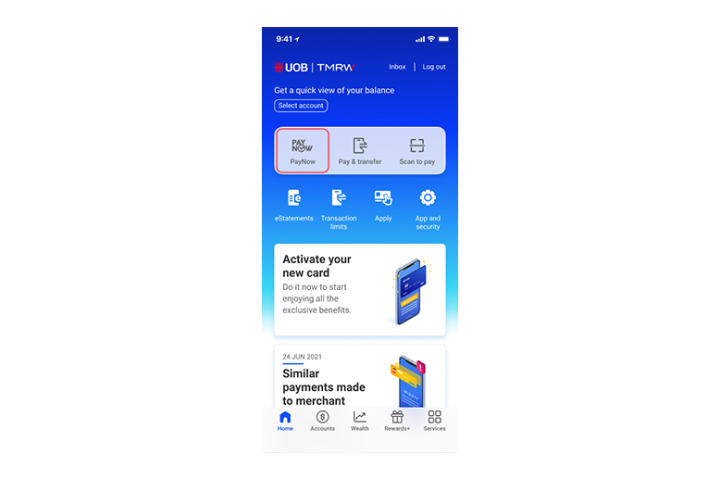
Log in to UOB TMRW and tap "PayNow".
Step 2
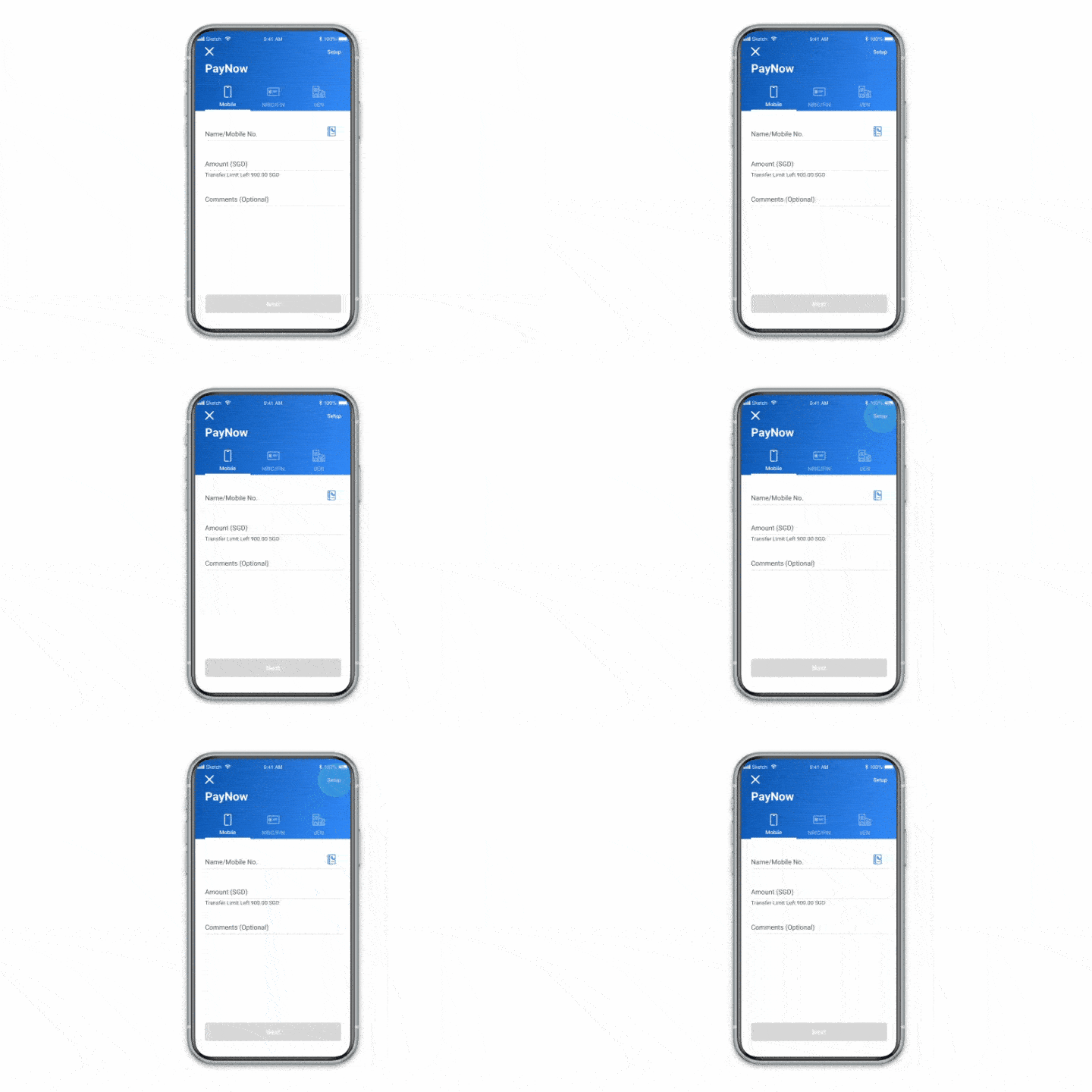
Tap on "Setup".
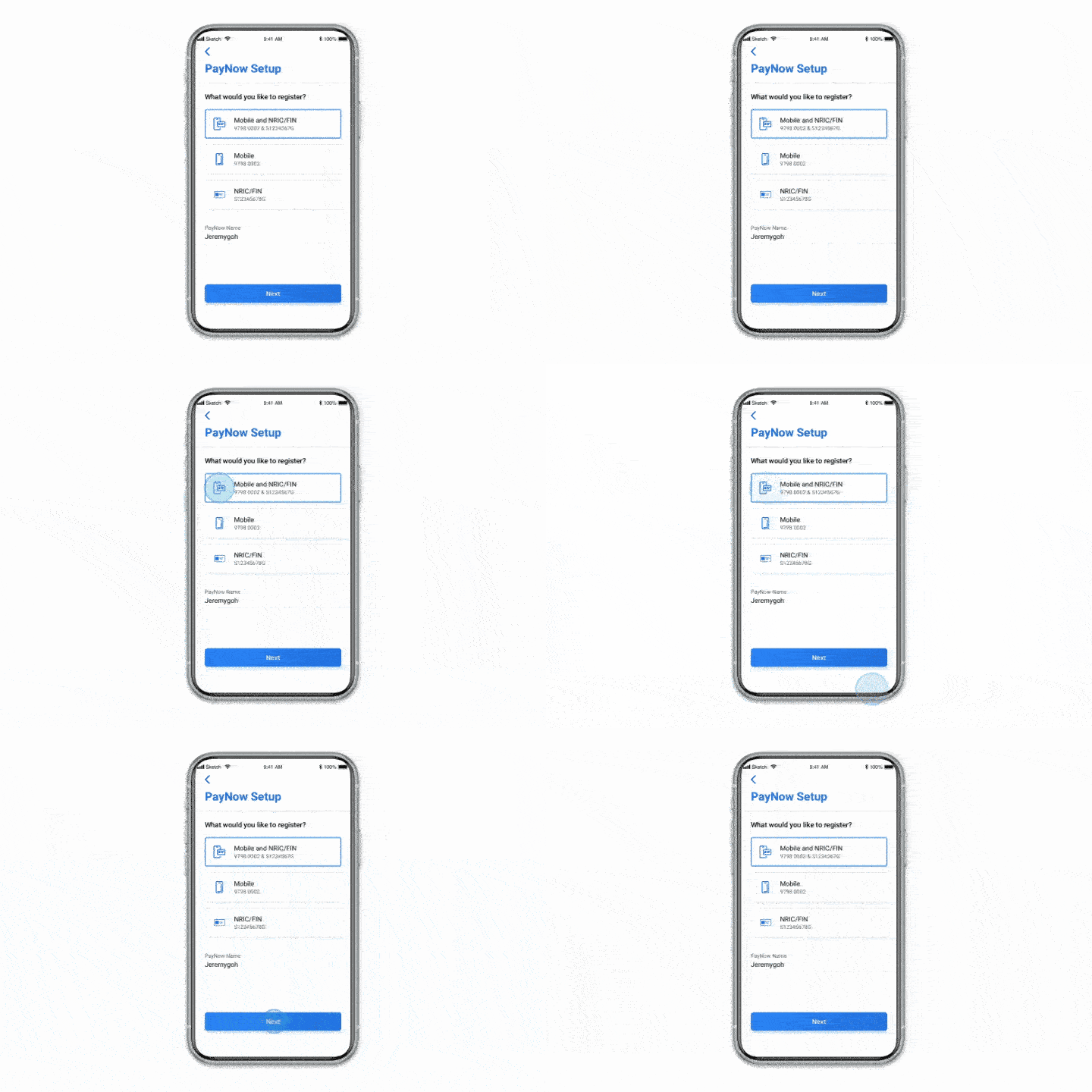
Step 3
Follow the On Screen Instructions.
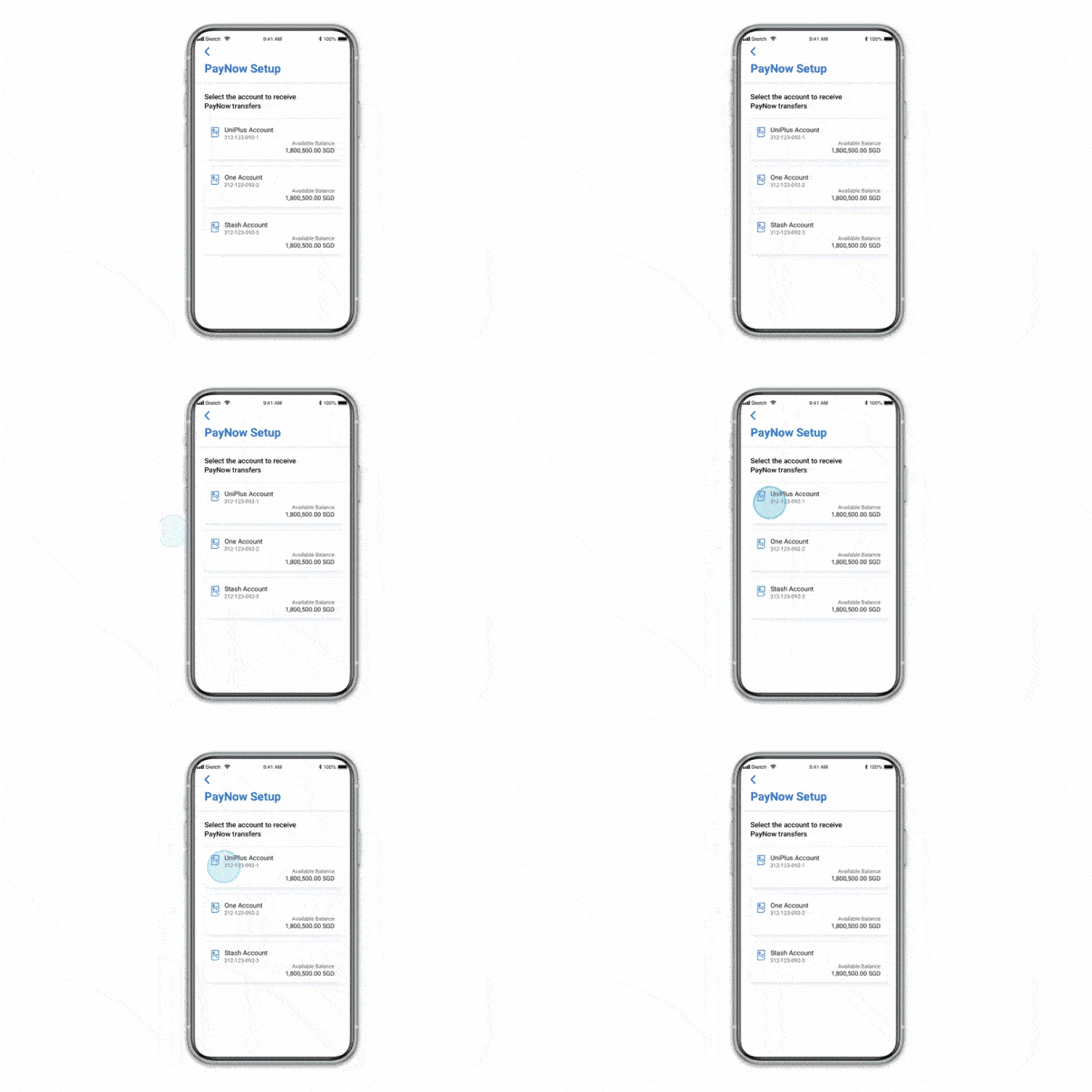
Step 4
Select account to receive PayNow transfers.
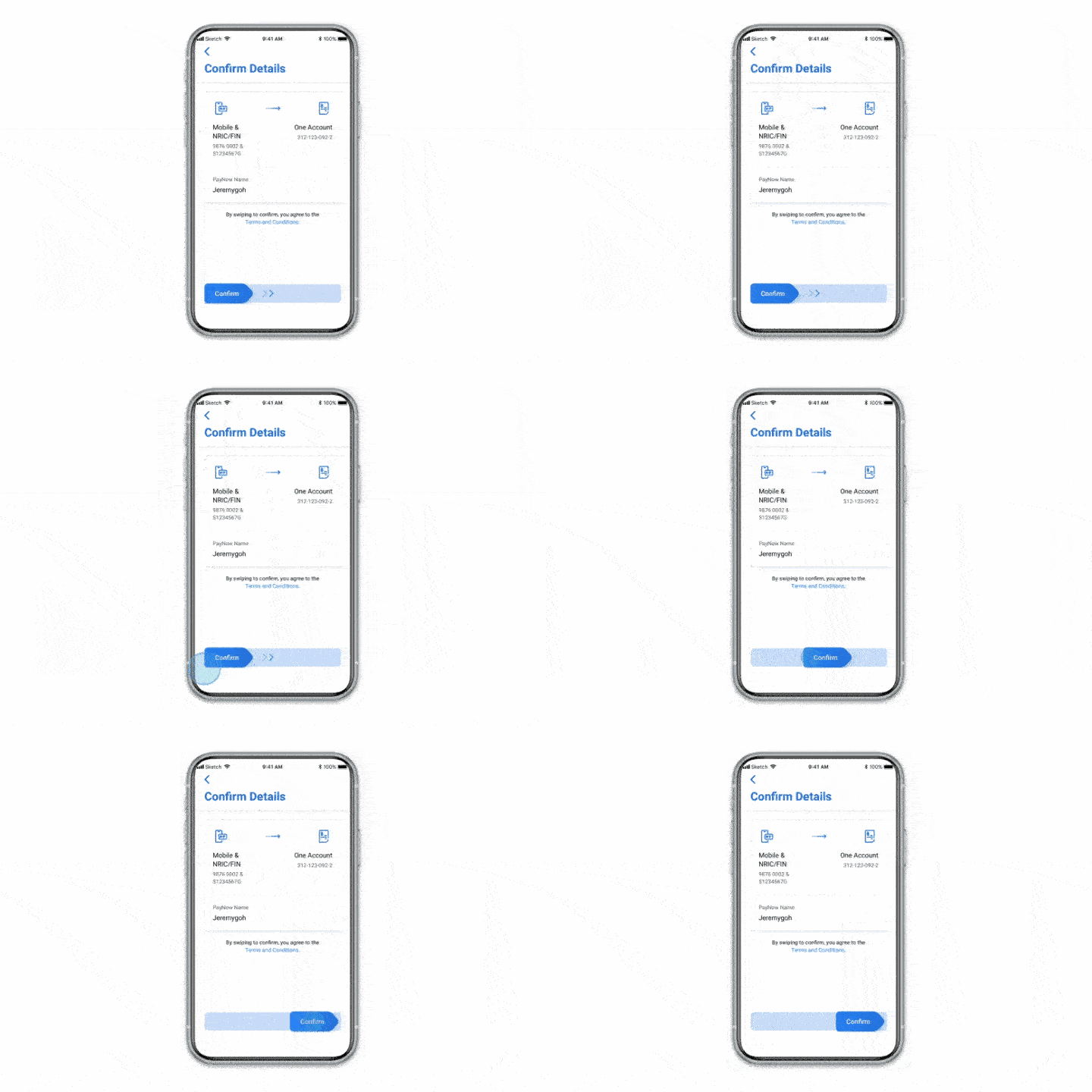
Step 5
Confirm your details by swiping to the right.
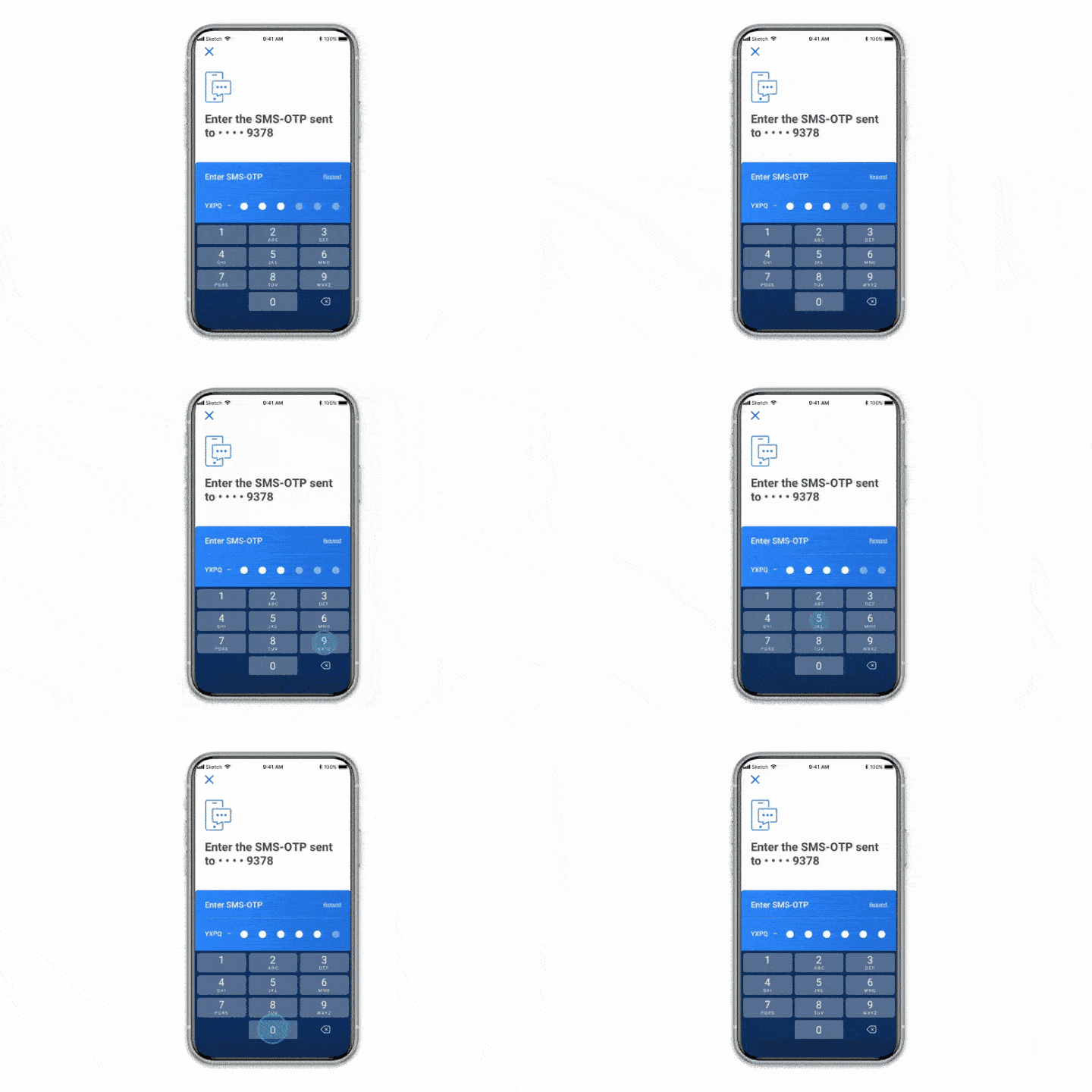
Step 6
Enter SMS OTP.
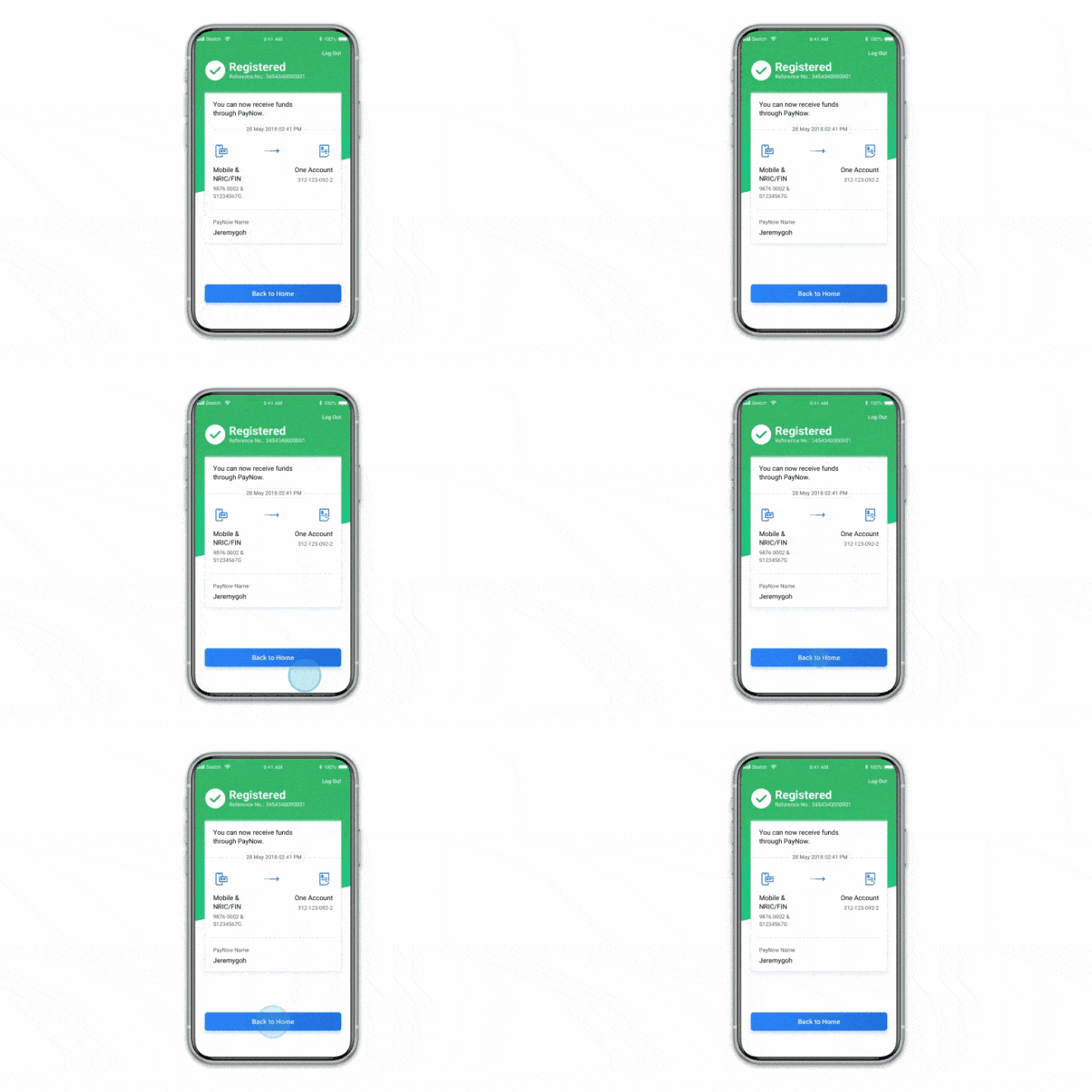
Step 7
Registration complete.
Step 1
Log in to UOB TMRW and tap "PayNow".
Step 2
Tap on "Setup".
Step 3
Follow the On Screen Instructions.
Step 4
Select account to receive PayNow transfers.
Step 5
Confirm your details by swiping to the right.
Step 6
Enter SMS OTP.
Step 7
Registration complete.

How to apply for eGIRO Payment Plan
-
Category
-
Eligible Billing Organisation
| Category | Eligible Billing Organisation |
| Tax | |
| Utilities | • Keppel Electric
|
| Insurance | |
| Telco |
• Singapore Telecommunication Limited
|
| Category |
| Tax |
| Utilities |
| Insurance |
| Telco |
You can also apply for GIRO through UOB Personal Internet Banking
Simply login to your UOB Personal Internet Banking and click on “Apply For” > Select “GIRO Arrangement” > Key in the required details and submit your application.
Deposit Insurance Scheme
Singapore dollar deposits of non-bank depositors and monies and deposits denominated in Singapore dollars under the Supplementary Retirement Scheme are insured by the Singapore Deposit Insurance Corporation, for up to S$100,000 in aggregate per depositor per Scheme member by law. Monies and deposits denominated in Singapore dollars under the CPF Investment Scheme and CPF Retirement Sum Scheme are aggregated and separately insured up to S$100,000 for each depositor per Scheme member. Foreign currency deposits, dual currency investments, structured deposits and other investment products are not insured.
Please refer to UOB Insured Deposit Register for a list of UOB accounts / products that are covered under the Scheme.

We use cookies to improve and customise your browsing experience. You are deemed to have consented to our cookies policy if you continue browsing our site.