






Make the switch to eStatements
Enjoy secure, convenient access to your account statements anytime, anywhere on the UOB TMRW app or Personal Internet Banking.
Benefits
Enjoy faster, easier and paperless access to your monthly eStatements and advices.

24 hours access
Access your eStatements / eAdvices anytime, anywhere.

5 years of storage
Enjoy peace of mind knowing your eStatements/eAdvices are archived for 5 years from the time you subscribe.

Easy retrieval of eStatements
Retrieve your eStatements/eAdvices with just a few clicks on your smartphone or tablet.
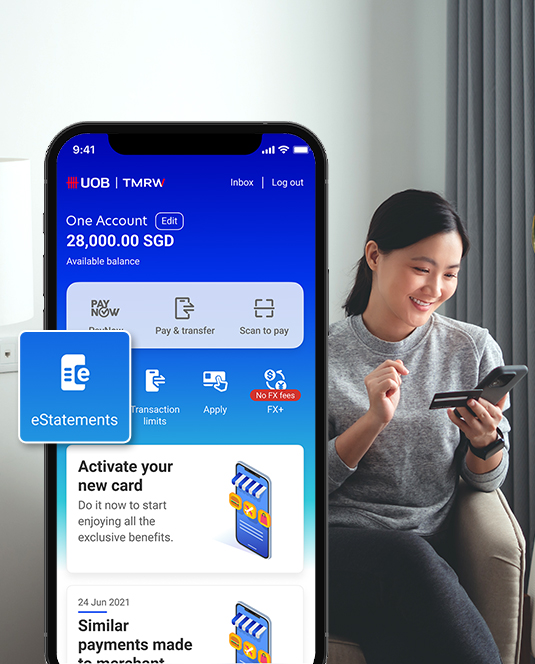
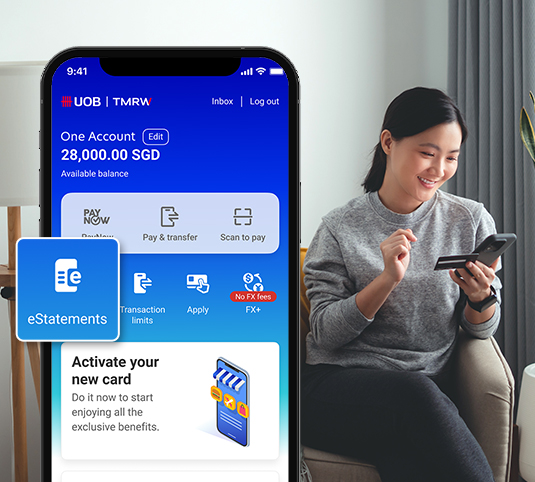
Moving to eStatements soon?
For customers who are transitioning from Paper statements to eStatements, please ensure that you have access to UOB TMRW app and are able to log in successfully.
Refer to the FAQs below.


Via UOB Personal Internet Banking
Step-by-step guide on how to sign up for eStatement on UOB Personal internet banking
Other services

Forgot your digital username or password?
UOB TMRW

More digital banking services
Digital Token


Other services
Forgot your digital username or password?
UOB TMRW
More digital banking services
Digital Token
Frequently Asked Questions
We are transitioning to eStatements to provide you with faster, more convenient, and more secure access to your monthly statements. Your statements will be available anytime through the UOB TMRW app or Personal Internet Banking.
- Enhanced security: Your eStatements are securely stored in the UOB TMRW app and Personal Internet Banking and can only be accessed using your login credentials.
- Greater convenience: View your statements anytime, anywhere, with 24/7 access to both current and archived statements in one place.
- Environmentally friendly: Going paperless will help reduce paper usage and support a more sustainable future
Yes. All important notifications will continue to be sent digitally via secure channels such as email, SMS, or in-app alerts.
You can opt out by following these steps:
Via UOB TMRW app
- Log in to the UOB TMRW app.
- Tap on Services > Transactions > eStatements > Manage.
- Uncheck the Statement type(s) for which you wish to receive paper statements.
- Click Save to confirm your selection.
Via UOB Personal Internet Banking
- Log in to UOB Personal Internet Banking.
- Under Account Services > Manage eStatement
- Select the Paper Statement option for the statement type(s) you wish to receive in paper form.
- Click "Submit"
You will receive an email and/or in-app notification whenever a new eStatement is available.
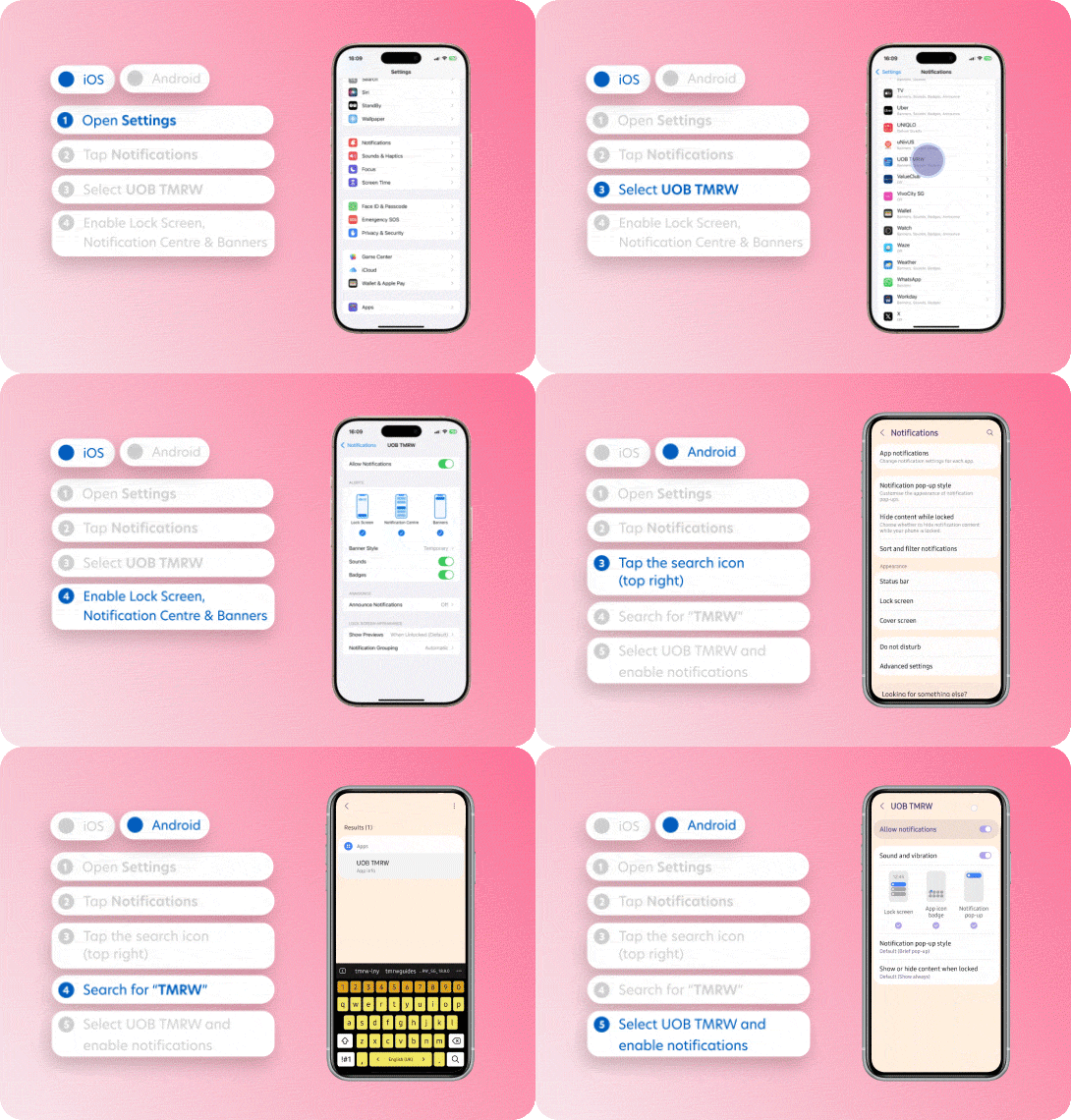
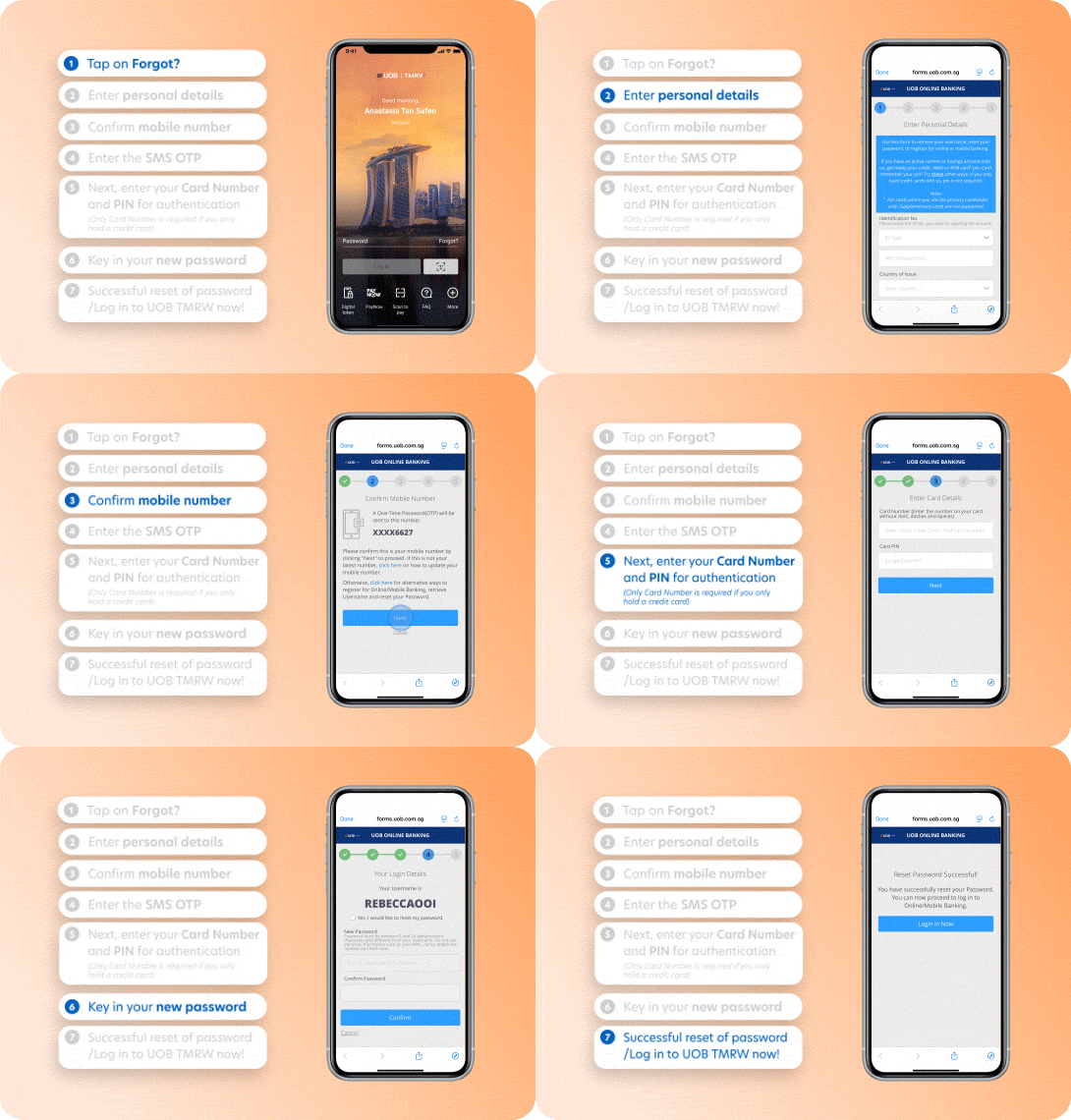
Please ensure that push and SMS notifications are enabled in the UOB TMRW app. Here’s how to set this up on your phone:
Step 1: Launch the UOB TMRW app
Step 2: Tap on Forgot?
Step 3: Enter personal details
Step 4: Confirm your registered mobile number
Step 5: Enter the SMS One-Time PIN (OTP) sent to you.
Step 6: Enter your card number and PIN for authentication (Only the card number is required if you only hold a credit card).
Step 7: Set a new password
Step 8: Your password reset will be successful
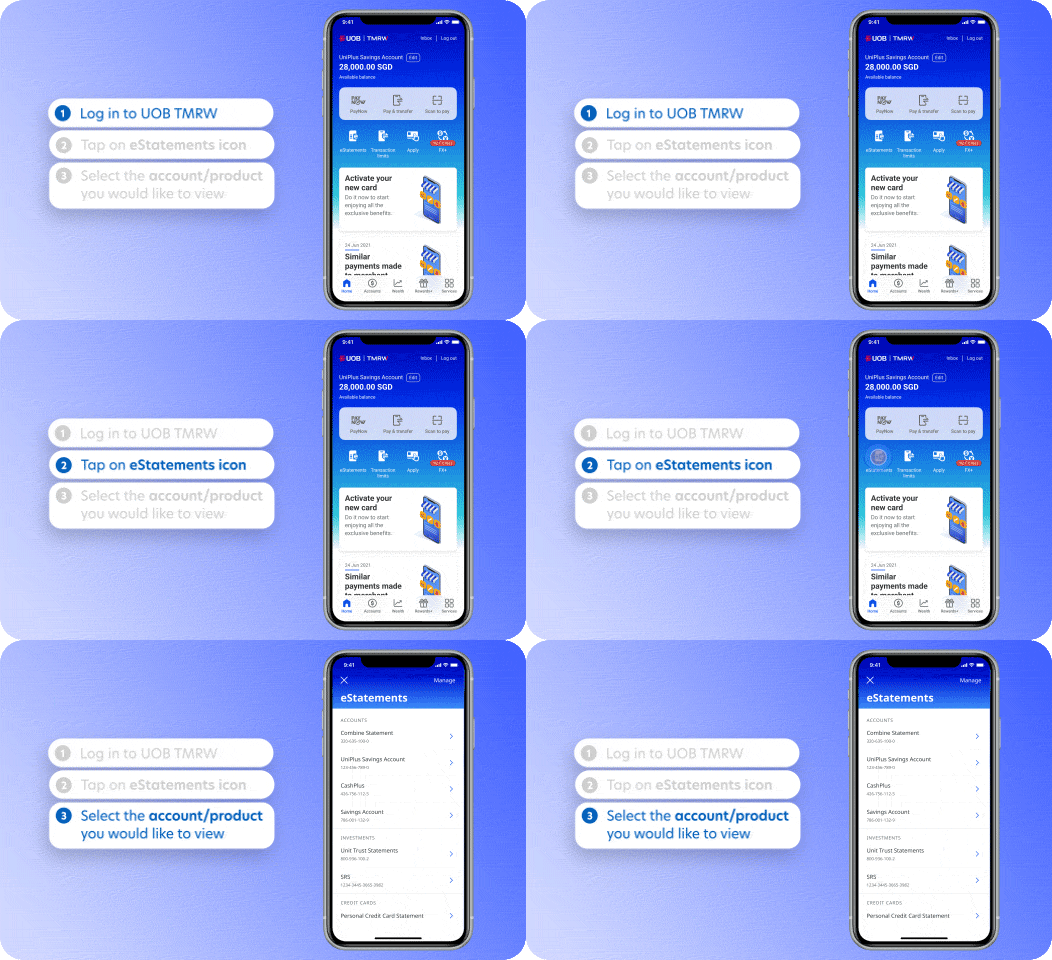
Step 1 : Log in to UOB TMRW app.
Step 2 : Tap on Services > eStatements
Step 3 : Tap on the account you wish to view
Yes. Digital statements are archived for up to 5 years from the time you subscribe to e-Statements.
Please note that statements issued before your conversion to digital statements will not be available in the UOB TMRW app or Personal Internet Banking.
No. There is no fee for opting out of e-Statements or switching back to paper statements.
Yes. You may change your statement preference at any time through via account settings in the UOB TMRW app.
Yes. eStatements fully comply with regulatory requirements and have the same legal validity as printed statements.
To receive bill payment reminders for your Credit Cards / CashPlus accounts, please enroll for Upcoming Card Bill Payment Reminders through the UOB TMRW app. Once enrolled, you will be sent reminders 7 days before your payment due date through your selected notification channel(s) such as via SMS and Email, or UOB TMRW in-app notifications and Email.
To enroll:
Login to UOB TMRW > Services > Profile > Notification Settings > Card Activity > Upcoming Card Bill Payment Reminders > Allow Notifications > Select Your Notification Preference
We're here to help
Have a question?

Contact us

Locate us
Take charge with UOB TMRW, download now



We use cookies to improve and customise your browsing experience. You are deemed to have consented to our cookies policy if you continue browsing our site.