|
||
 |
||
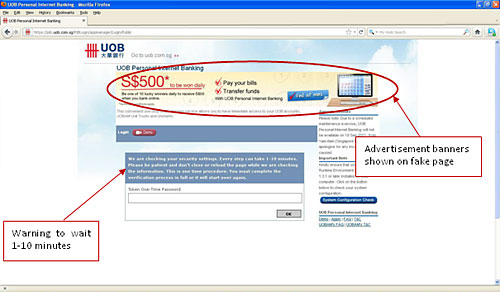
Security Alert : Phishing Website for UOB Personal Internet Banking There have been recent reports of malware infection that captures user’s login credentials such as userid, passwords and one-time passwords. This could occur if the user’s computer is infected with the SpyEye Trojan virus. Signs of infection:
In addition, you could receive SMS notifications for transactions you did not perform, e.g. the addition of a third-party payee.
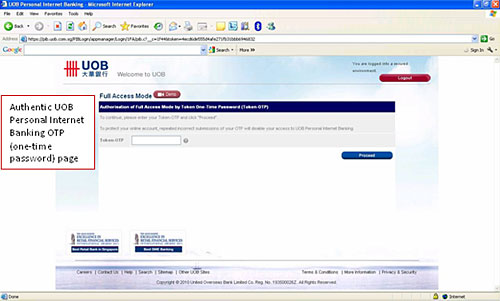
The UOB Token-OTP page does not display any advertisement banner. Below is how the UOB Token-OTP appears.
How to protect your computer:
Please contact Customer Service at 1800-2222-121 if you encounter any suspicious activities in relation to your account(s). |